The short answer
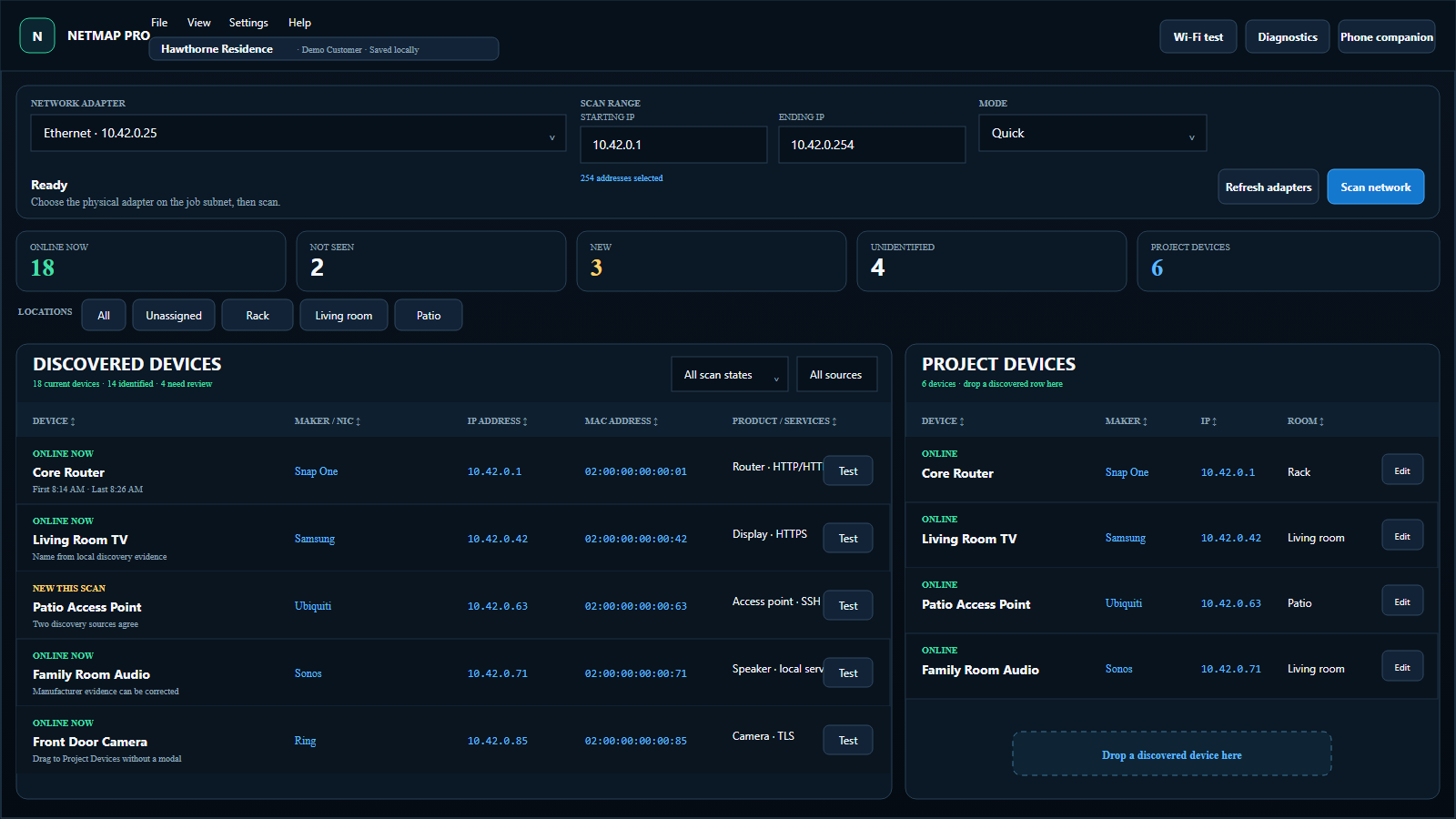
If you need a free, fast list of network devices with access to shared folders, HTTP/HTTPS, RDP, or Radmin, Advanced IP Scanner may be exactly enough. If the scan is the start of a paid service visit and you need rooms, notes, saved projects, Wi-Fi evidence, diagnostics, phone-assisted documentation, and a branded PDF, NetMap Pro is built around that broader workflow.
Feature comparison
| Capability | Advanced IP Scanner | NetMap Pro |
|---|---|---|
| Price | Free | From $149 with one year of updates |
| Windows IP/MAC discovery | Yes | Yes |
| Shared folders and remote access | Core workflow | Not the product focus |
| Persistent customer/job project | Basic result save/export | Customer, scans, devices, rooms, notes, tests |
| 2.4/5/6 GHz analyzer and snapshots | Not listed as a feature | Yes, hardware permitting |
| Internet and local diagnostics | Not listed as a workflow | Yes |
| Phone field companion | No | Yes, local network |
| Branded PDF job report | Not listed as a feature | Yes |
Choose Advanced IP Scanner when
- You want a no-cost Windows scanner.
- You mainly need to see active devices, IPs, MACs, names, and manufacturers.
- Opening shared folders or remote desktop tools is central to the task.
- A CSV or saved scan list is enough documentation.
Choose NetMap Pro when
- You are documenting a customer site rather than performing a one-off lookup.
- You need a curated device inventory with rooms, names, types, notes, and photos.
- You need Wi-Fi snapshots and separate internet/local diagnostics.
- You want to work from a phone while the Windows project remains open.
- You need a branded PDF deliverable at the end of the visit.
Sources and disclosure
This comparison is published by NetMap Pro and should be read with that context. Advanced IP Scanner capabilities were checked against the official Advanced IP Scanner website on July 18, 2026. Product features and pricing can change; consult the vendor before deciding.